Your car at a glance
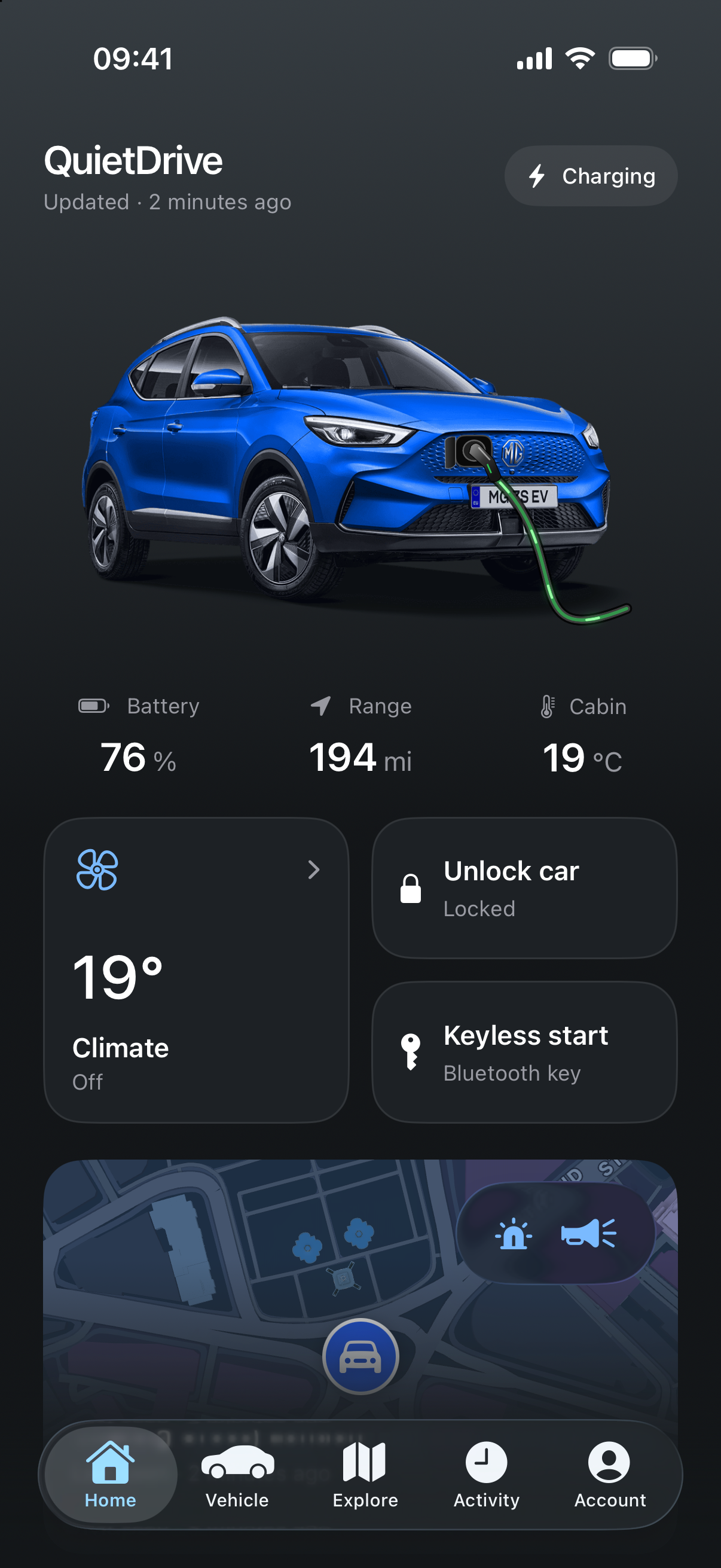
Battery, range, charging and vehicle status in one place, with reading times so you know how recent the information is.
 QuietDrive
A companion for your MG
Your car, charging and everyday ownership, together in one thoughtfully made iPhone app.
iPhone with iOS 26+ · Available through TestFlight
Take a closer look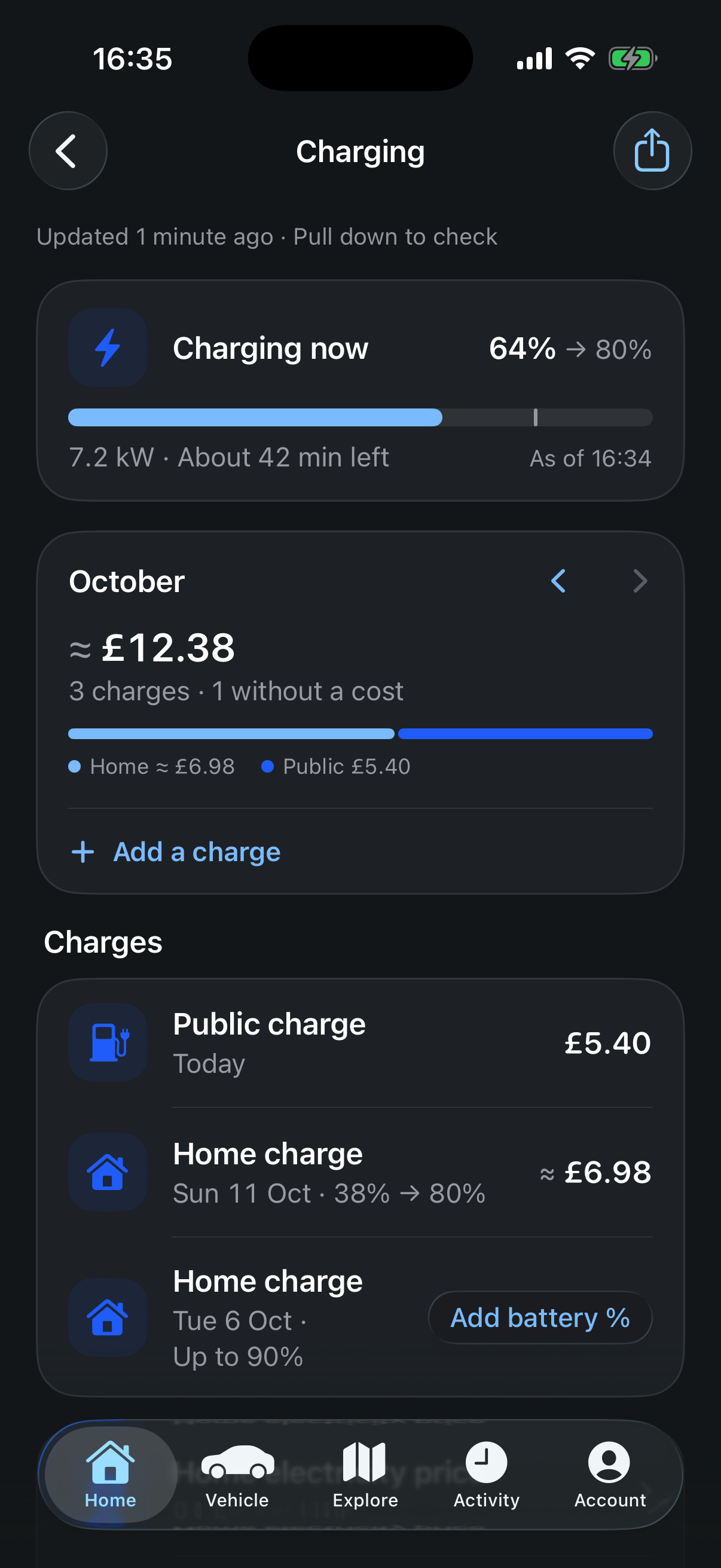
Built by an MG owner
All features free during beta
Independent of MG & SAIC
Less juggling. More driving.
From a quick look at your battery to keeping track of what your car costs.
Battery, range, charging and vehicle status in one place, with reading times so you know how recent the information is.
Keep receipts, set home and off-peak prices, follow monthly spending and export your charging records.
A home for service records, documents, costs and reminders. Export a PDF or make a manual backup when you need one.
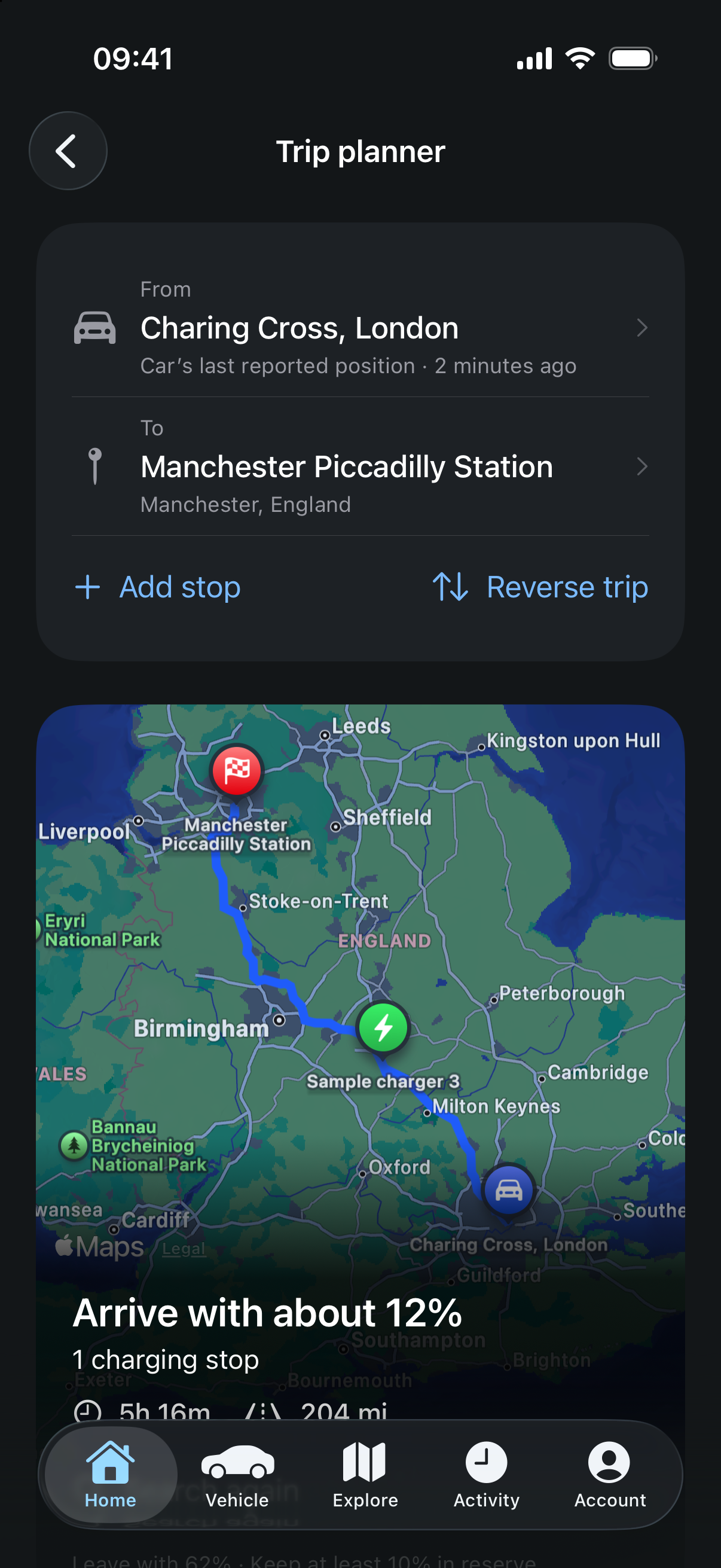
Sample route and charging estimates
Room for the longer way round
Plan a journey with charging stops that fit your car’s plugs and cable. Add stops along the way and get an idea of your arrival battery, charging time and cost.
Estimates are a guide. Check charger details, prices and availability before travelling; live bay availability is not guaranteed.
Made from the driver’s seat
QuietDrive started with one owner and a ZS EV. It’s growing with feedback from other MG drivers who want a more useful everyday companion.
It connects through MG’s services. Features and compatibility vary by model and account region, and the beta is still being tested. Your feedback helps shape what comes next.
Say hello or share feedbackBefore you get going
Open the iOS button on your iPhone, install Apple’s TestFlight app if prompted, and accept the QuietDrive beta invitation. You’ll need iOS 26 or later. You can explore sample data before connecting an MG account.
QuietDrive is designed for MG cars connected through iSMART. Choose the country and region for your MG account when signing in. Model, equipment and regional support are still being tested, so individual features may be unavailable. Get in touch if you’re unsure.
Yes. All features are free during the beta. Pricing for the full release has not been announced.
Supported controls depend on your car and region and require approval in the app. Requests use MG’s services and can wake the car. QuietDrive includes request limits and 12 V precautions, but they cannot guarantee battery safety. Experimental features shown in screenshots may not work on every car. See the terms of use before connecting.